 Three Spires
iCUE widget · XENEON EDGE
Trinity
Your EverQuest Legends adventure, live on the XENEON EDGE: buff timers, enemy debuffs, combat, and a journal of every zone's kills and finds.
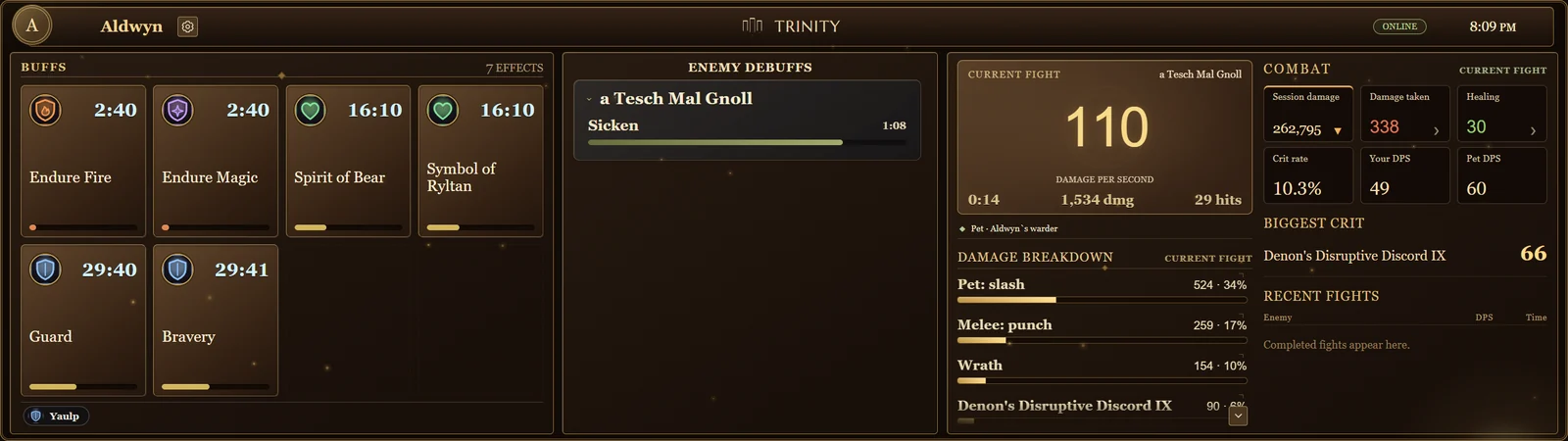
Three panels, one adventure
Trinity reads the game's own chat log as you play, so every timer, kill and find comes from what actually happened, not from guesses.
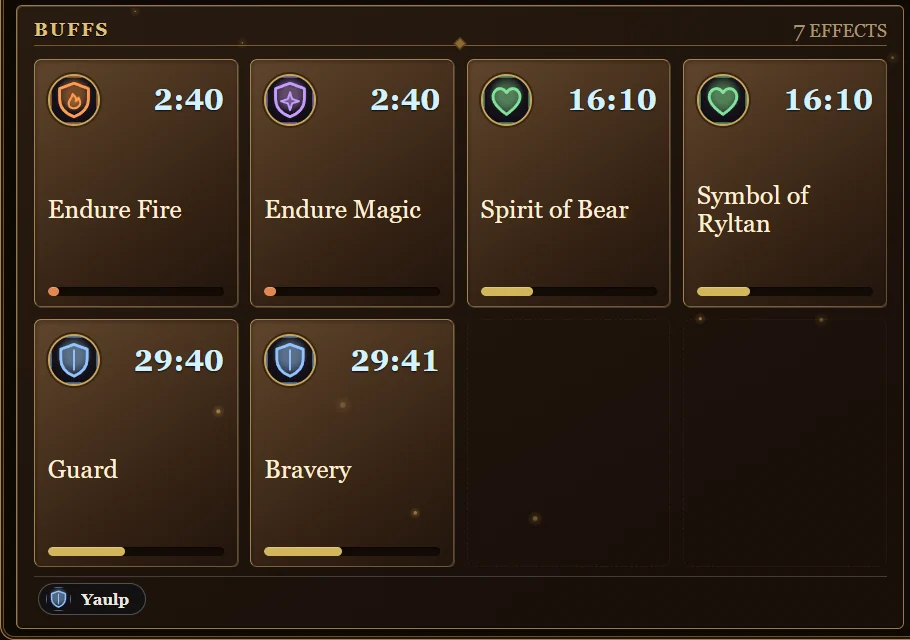
Buffs
Every buff on you with its time left. Durations come from your own game files and caster level, pause while you zone or log out, and a quiet reminder marks what's about to run out.
Adventure journal
Your zone and latest find between fights. In combat it becomes your enemy debuffs: what you and your pet landed on each enemy, with timers, including mez.
Combat
Fight DPS, session damage, damage taken, healing, crit rate, your DPS and your pet's, your biggest crit, recent fights and a damage breakdown.
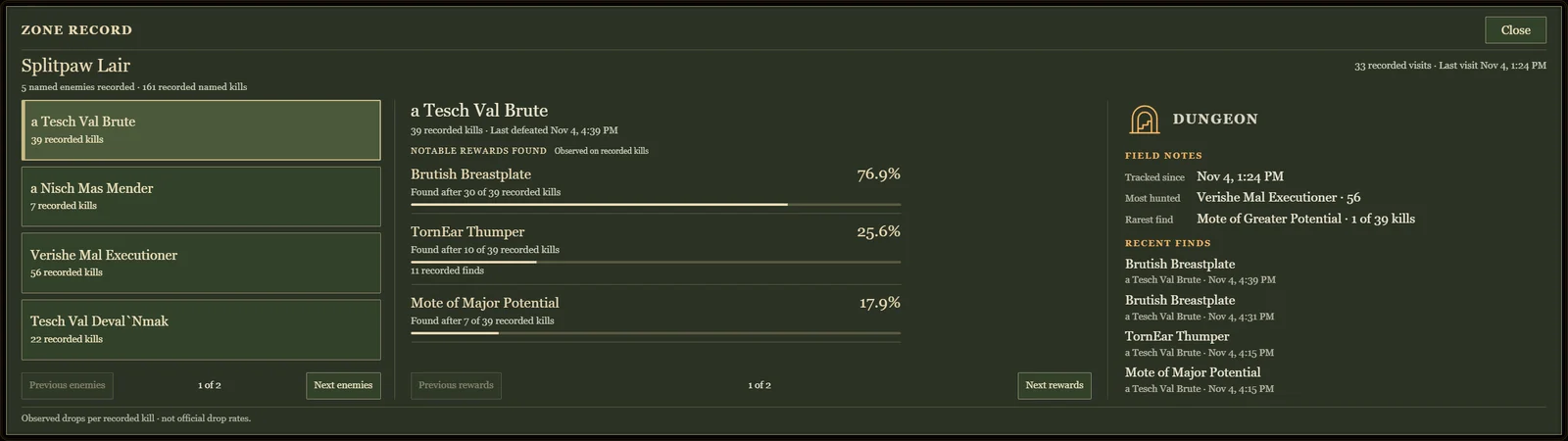
A record of every zone
Tap the book for the zone you're in: every enemy you've hunted there, what each one dropped and how often, and field notes with your most-hunted foe, rarest find and latest finds.
Drop frequencies are what you observed on your own kills, not official drop rates.
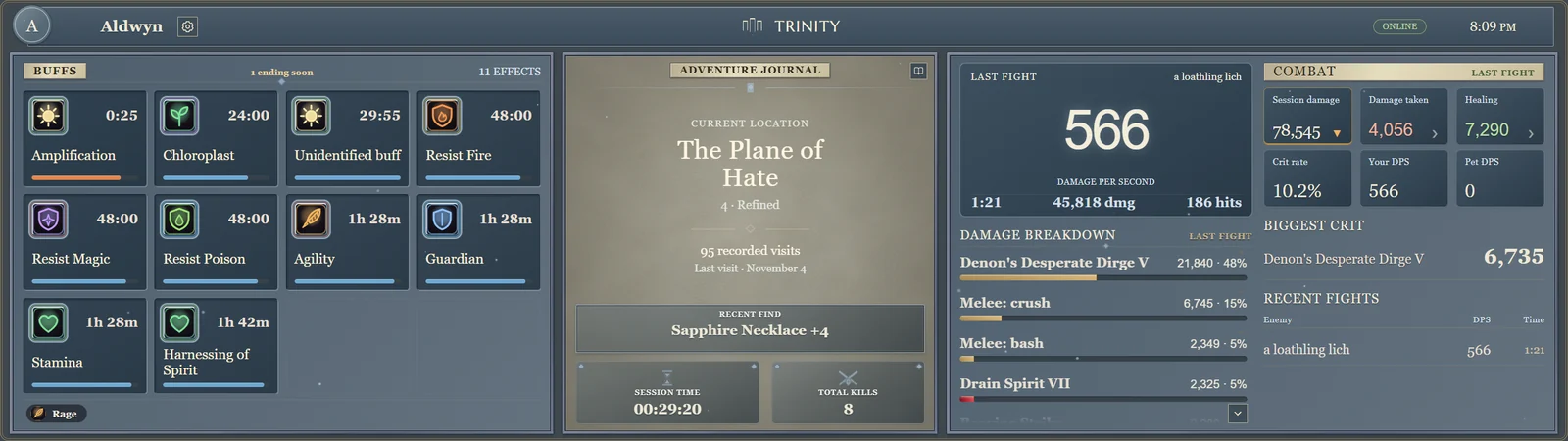
Four looks, day and night
Gilded, Stonework, Wayfarer and Obsidian, each with Daybreak and Nightfall lighting. Everything is drawn in code: no game art, logos or screenshots are included.
Setup
Trinity has two parts: the widget on your XENEON EDGE, and Trinity Link, a small free Windows app that reads your game log and feeds the widget.
- Get TrinityAdd the widget to iCUE from the Elgato Marketplace and place it on your XENEON EDGE (Extra large, horizontal).
- Install Trinity LinkDownload it below and run the installer. It starts with Windows and runs quietly in the background.
- Turn on logging in gameType
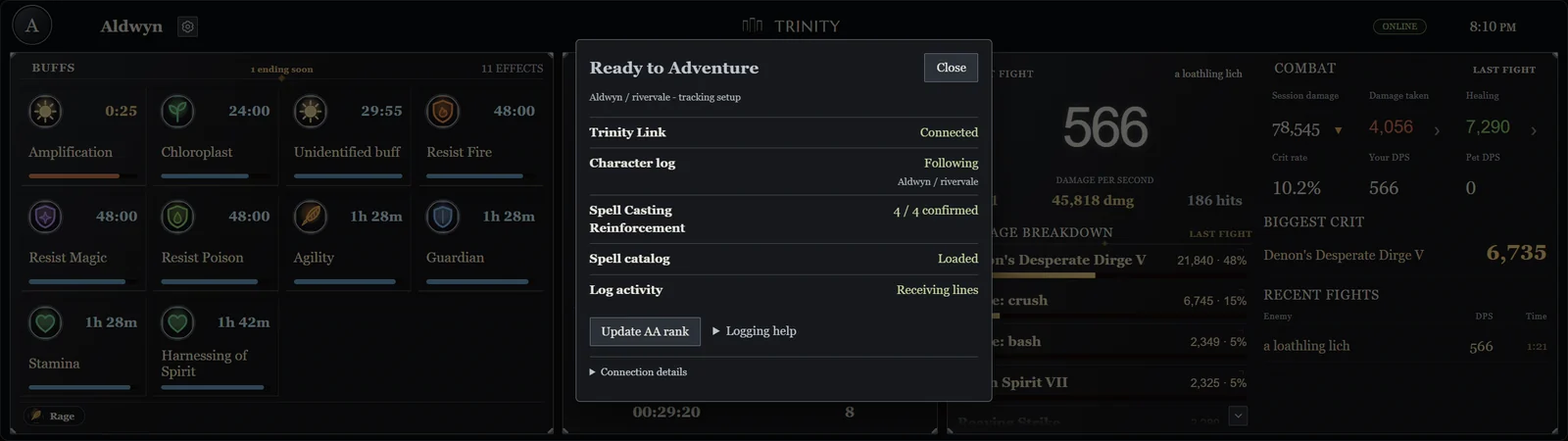
/log onin EverQuest Legends so the game writes its chat log. - Check you're readyTap the status badge on the widget. The Ready to Adventure checklist confirms the Link is connected and your character is being followed, and says what to fix if not.
Private and fair
- Trinity only reads. It never sends keystrokes, changes the game, its files or your character, or automates anything.
- Your log stays on your PC. There's no account, and your play data is never uploaded.
- The widget talks to Trinity Link on your own PC only. The Link contacts the internet only to check for updates signed by Three Spires.
Support
Something not working, or a timer that looks wrong? Hold or right-click a card in Trinity to save a "that's wrong" report on your PC, then email us and we'll help.